- One platform. Crews, equipment, projects, and AI insights in a single workspace.
- Stay aligned. Everyone works from the same schedules, certificates, and site context.
- Move faster. Automations and intelligence built for field teams and trade partners.
No credit card required.
ACROSS EVERY TRADE
Tailored for how you deliver work
Workflows for trade contractors, with AI to keep crews, equipment, and projects in sync.
Operations across your sites
Schedules, crews, equipment, and milestones visible together, without chasing versions in chat.
Aligned from plan to gate
Updates, tickets, and handovers read the same for supers and planners. Fewer mismatched stories.
AI Intelligence
AI-driven insights for trade contractors and field operations.
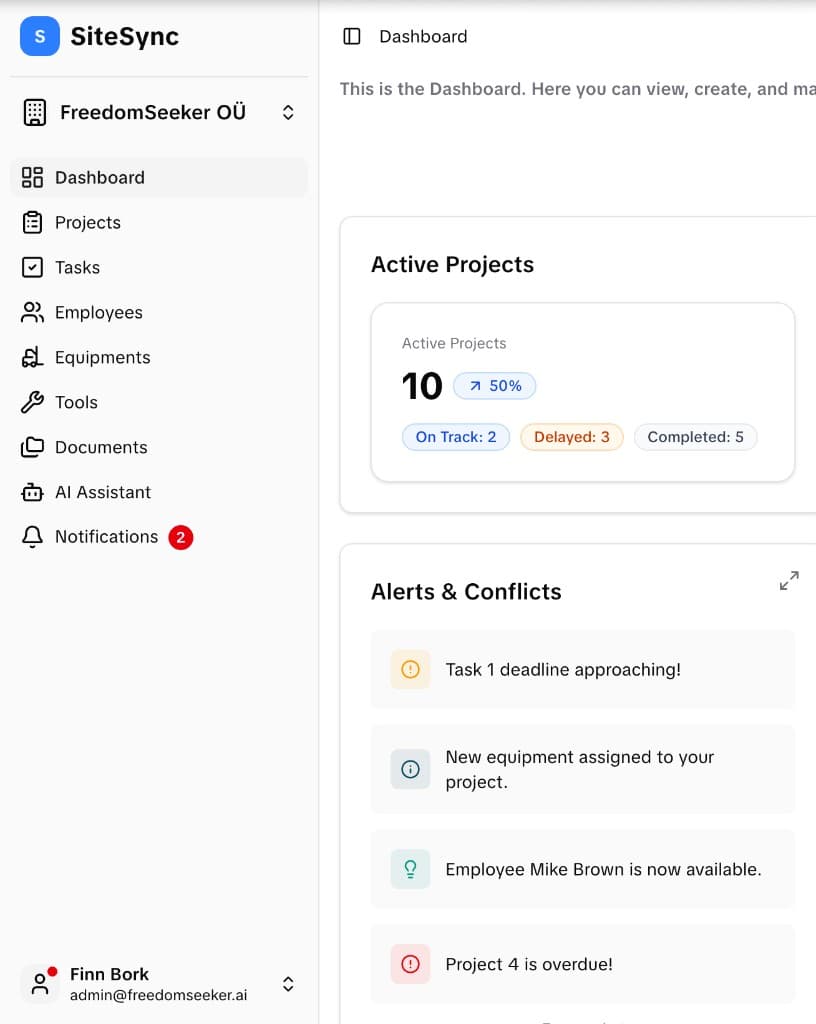
Powerful Dashboard, Intuitive Design
Get a complete overview of your projects, teams, and resources with our intelligent dashboard that adapts to your workflow.
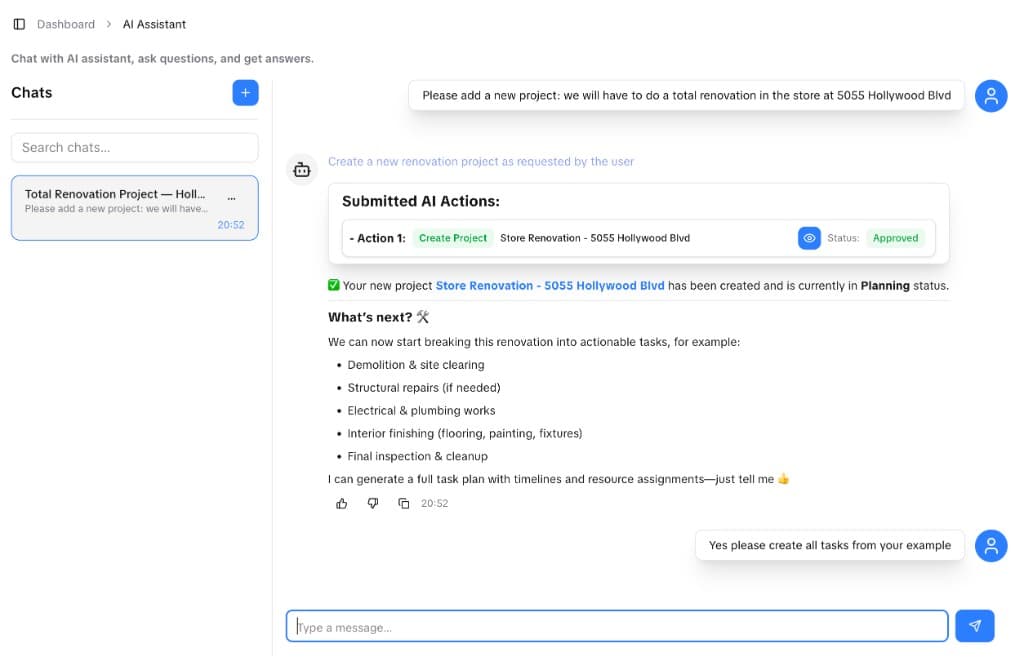
Describe work in plain language. The assistant proposes structured actions: projects, tasks, and updates. Your team stays in sync without extra admin.
- Natural language in. Ask for schedules, changes, or new work in the chat you already use for context.
- Structured actions out. Review suggested steps, approve what ships, and keep an audit-friendly trail.
- Built for the job site. Grounded in your projects, crews, and equipment. Not generic answers.
No credit card required.
Agent conversations and prompts are not used to train third-party models. We do not sell your chats for model training.
Enterprise-gradeeverything
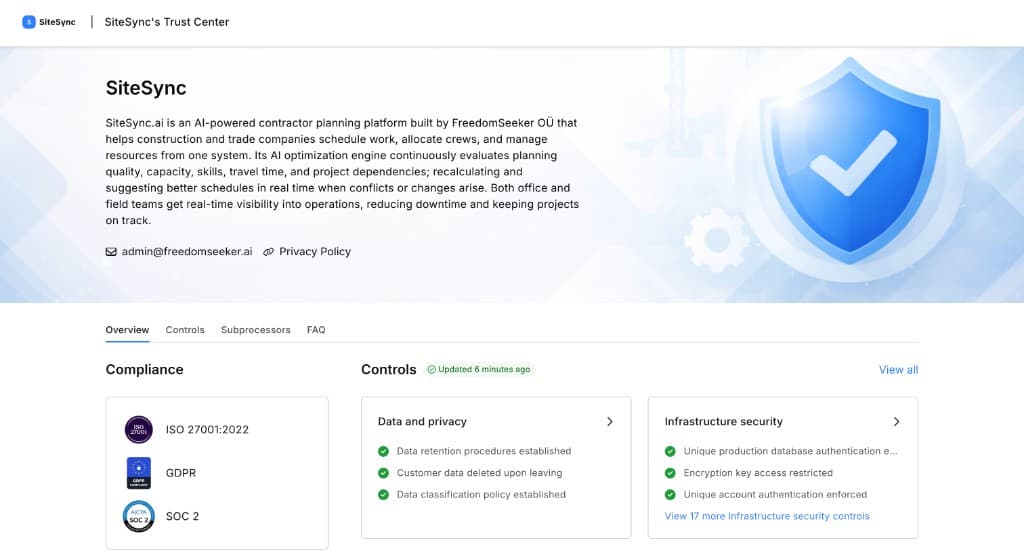
Our Trust Center is the single source for ISO 27001, GDPR, and SOC 2 alignment, plus infrastructure controls, subprocessors, and security FAQs. Your workspace data is not used to train third-party AI models.
Ready to test SiteSync?
Join the waitlist for pilot updates as we work with trade contractors and field teams.
Get started